Argos PC Client Install, Username/Password, etc.
Suggest: F11 or Tools>Full Screen for Recorded Flash Sessions
If you need help with the Banner Record Selection Criteria, this is
the best information we have collected:
Selection Criteria from
BannerAccess (1st choice) and
Selection
Criteria Help (2nd choice) Tables Descriptions for use with Argos.
This will get you to being able to create Queries, use Form provided Parameters, create simple Reports, and very easily export to csv. Perhaps more importantly, you can get into the Argos COOP DataBlock Repository where shared DataBlocks are yours for downloading. (Your password for the Argos COOP DataBlock Repository is your Banner Username + Banner ID, e.g., ballen901212.)
Argos Advanced Designer Training for advanced DataBlock Design.
MS Access Conversion Tips are
in Argos -
Moving into the Community ppt.
Argos Advanced Reports Training includes these topics:
1. Band Editor (Formatted Reports)
2. OLAP (On-Line Analytical Processing) Reports also known as
Fast Analysis of Shared
Multidimensional Information or, FASMI,
or as OLAP cube or hypercube Reports.
Want a less guided approach to Evisions' Argos Training and Documentation?
It is available to you via our
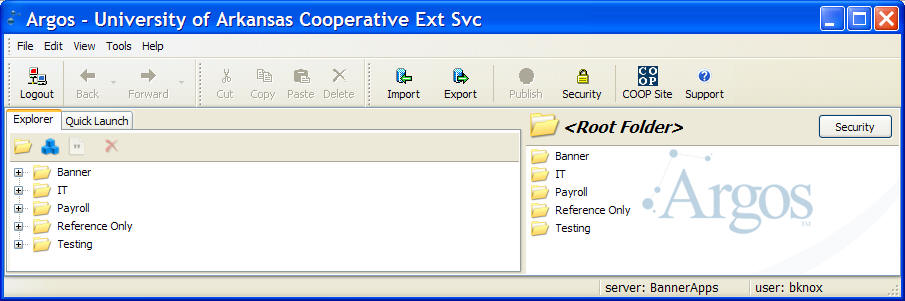
The Recorded Training sessions are well paced and very well done. I do recommend starting with them instead of starting with the traditional documentation.
Traditional documentation is available in the form of
bookmarked PDF files. In the Technical Documentation section,
the Argos Getting Started Guide download is the starting point for
Designers (suggest you Right-Click on the link and Save Target as) . This Getting Started Guide is a 99 page document
which covers DataBlock creation
in detail from simple to complex including query, QuickView, simple
Report, complex Report, and output to Excel. This is great for
Power Users wanting traditional documentation.
The Argos Training Available link is for live training sessions;
however, I recommend that you start with the Record Training
instead.
This is an internal use page maintained by Bruce Knox ( bknox at uaex.edu ) documenting a single University of Arkansas, Division of Agriculture, Cooperative Extension Service IT project.